
Industry Connect is a web-based lender connection screen for accessing lenders, accessing pricing, submitting loans, and comparing pricing across lenders. This article covers the screen layout, how to use each available action, and how to run a price comparison.
SCREEN LAYOUT
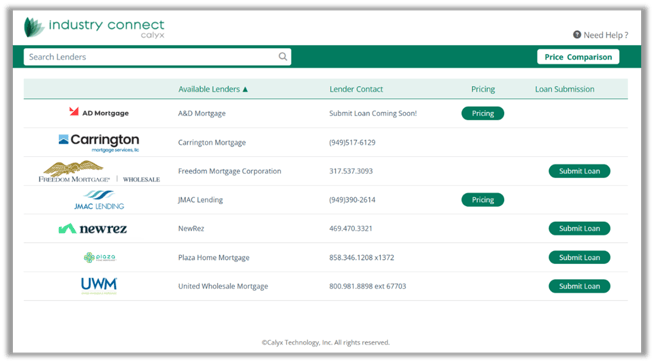
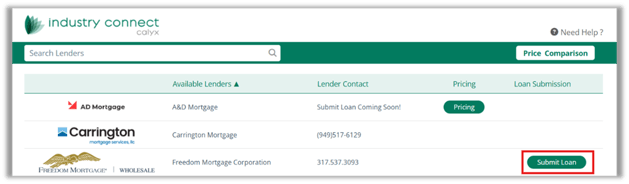
The Industry Connect screen is organized into the following areas:
- Search Lenders — Filters the lender list by name as you type.
- Available Lenders — Displays lender names and logos.
- Lender Contact — Shows phone numbers or status text for each lender.
- Pricing — Displays a Pricing button for lenders that support pricing workflows.
- Loan Submission — Displays a Submit Loan button for lenders that support electronic submission.
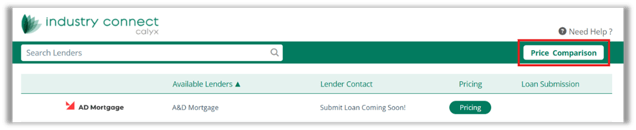
- Price Comparison — A button in the upper-right area of the screen used to compare pricing across lenders.
USING INDUSTRY CONNECT
- Launch Industry Connect from the available integration area on the platform.
- Use the Search Lenders field to find the lender by name.
- Review the lender row to decide which actions are available.
- If Pricing appears, lender pricing can be accessed.
- If Submit Loan appears, electronic loan submission is supported.
- Select the proper action based on your task.
USING PRICING
- Locate the desired lender in the list.
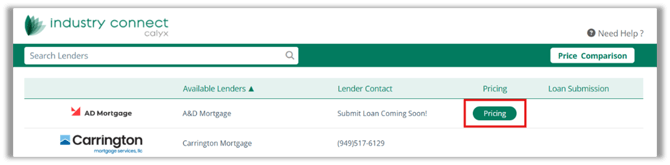
- Click the Pricing button in the lender’s row.
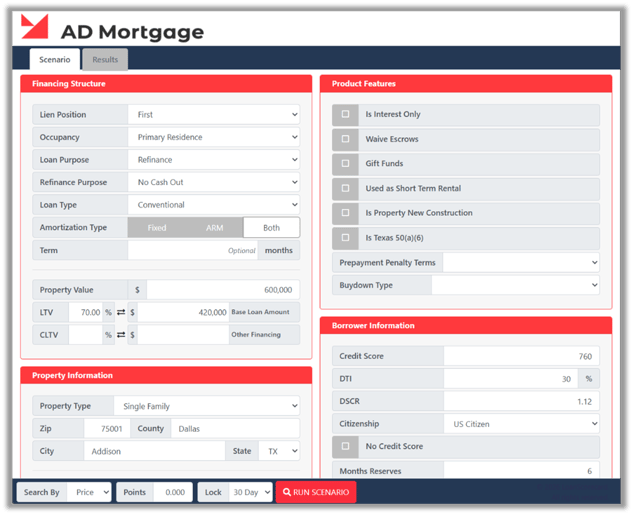
3. Complete any required loan or scenario prompts in the pricing workflow.
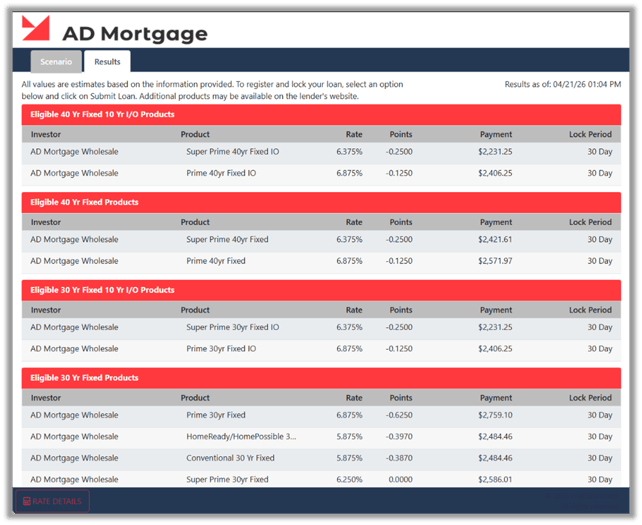
4. Review the pricing results before proceeding with submission or comparison.

USING SUBMIT LOAN
- Locate a lender that supports loan submission.
- Click Submit Loan in the lender’s row.
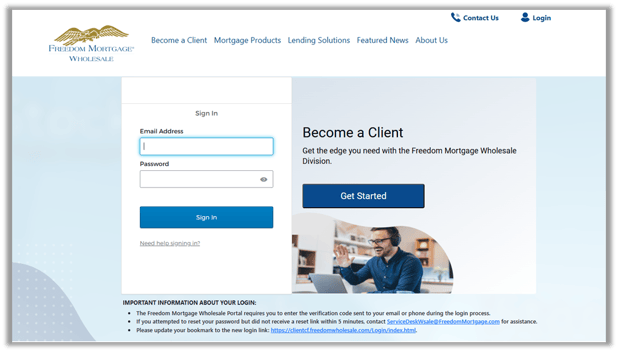
3. Follow the on-screen prompts to send the loan file to the lender.
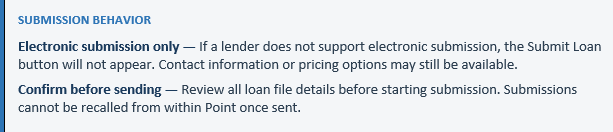
4. Confirm the submission once the process is completed.
PRICE COMPARISON
The Price Comparison feature allows LOs to evaluate and compare pricing options across multiple lenders from within Industry Connect.
- Click Price Comparison in the upper-right area of the Industry Connect screen.
2. Select the lenders or scenarios to include in the comparison.
3. Enter any required comparison criteria, such as rate, payment, term, or loan amount.
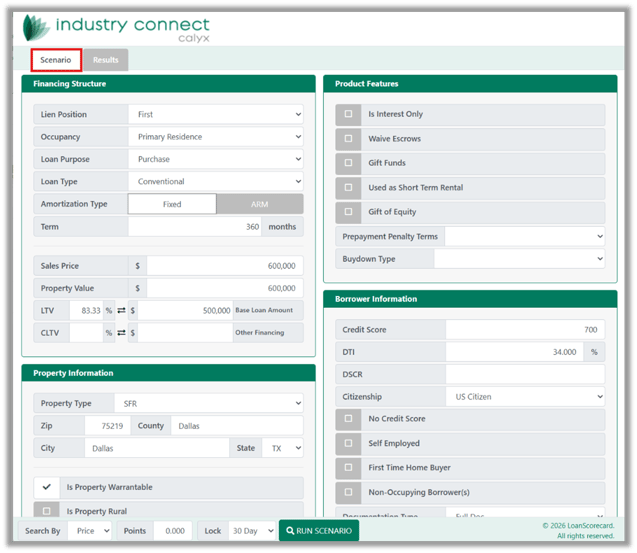
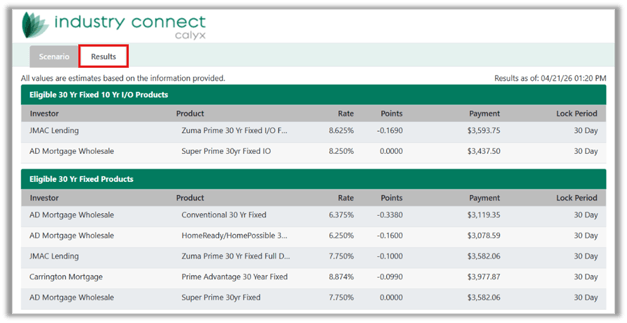
4. Review the comparison results.
5. Print or save the comparison as needed.

Industry Connect provides a centralized screen for browsing lenders, accessing lender-specific pricing, submitting loans electronically, and comparing pricing across options. Available actions vary by lender — use the lender row to confirm which workflows apply before continuing. Price Comparison is accessed from the top of the screen and is best used after running pricing for the lenders you want to evaluate.
