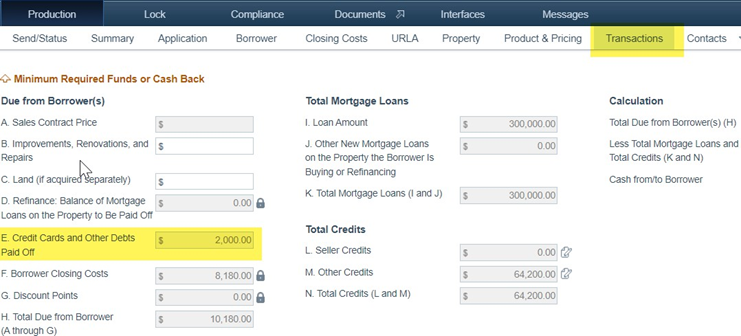
To add payoffs:
1. Go to Production > Borrower > Liabilities
Note: Notice the PAC (pay at closing) column has no debts selected. 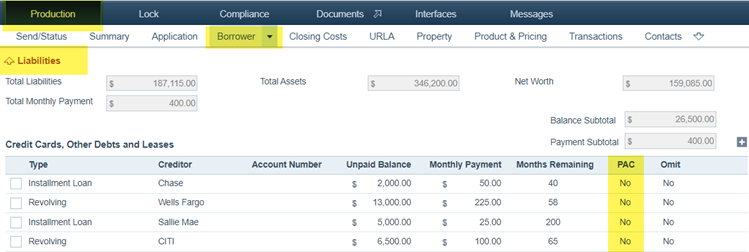
2. Click the row of the liability to edit, which opens its lightbox. 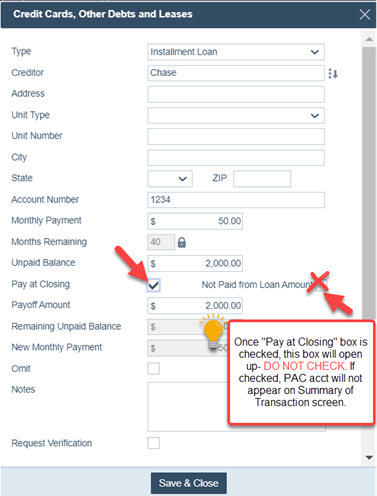
3. Select the Pay at Closing checkbox, then click Save & Close, to close the lightbox. 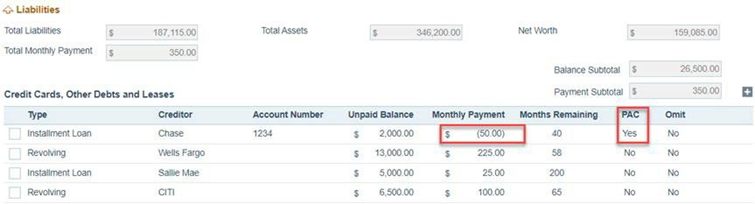
Note: The PAC column now has the debt indicated.
4. Next, go to Production > Closing Costs > Payoffs/Payments tab. 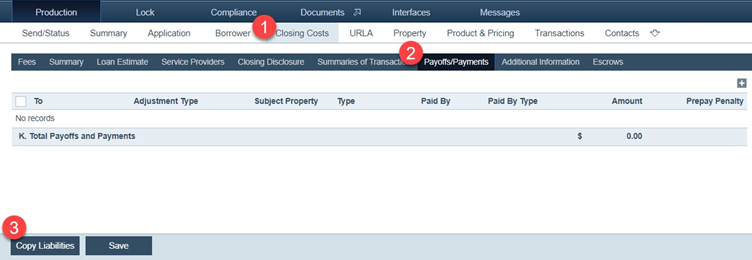
5. Click Copy Liabilities.
Once imported, you will see liabilities copied over, as shown below. 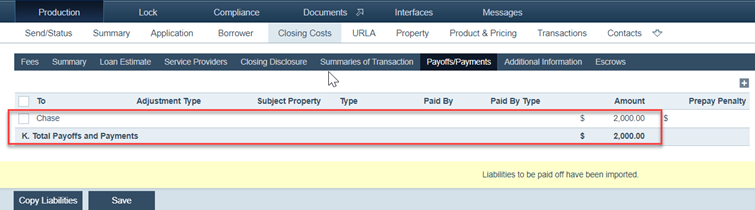
6. Next, go to Production > Closing Costs > Summaries of Transaction tab. 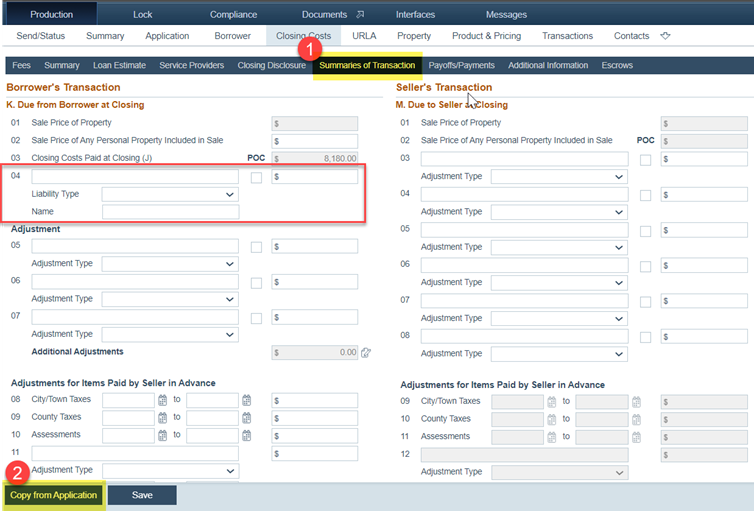
7. Click Copy from Application to copy over the data. 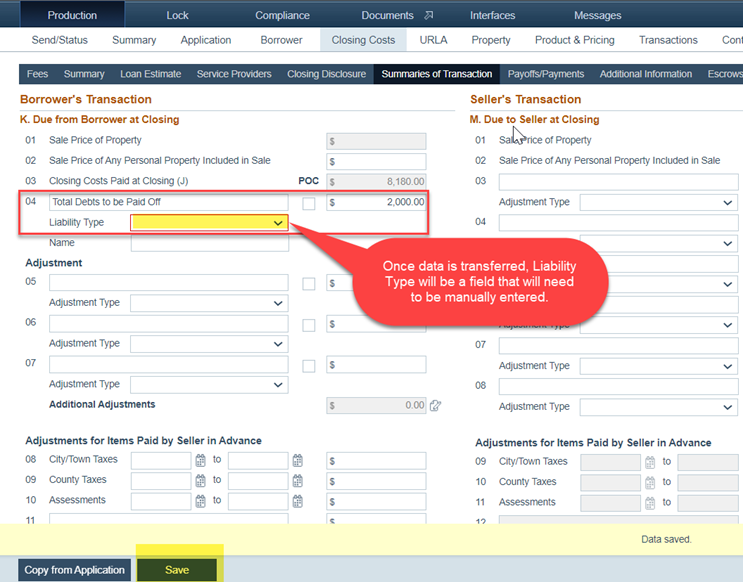
8. Select from the Liability Type dropdown menu and click Save.
9. Finally, go to Production > Transactions screen to review/confirm that all data has been copied