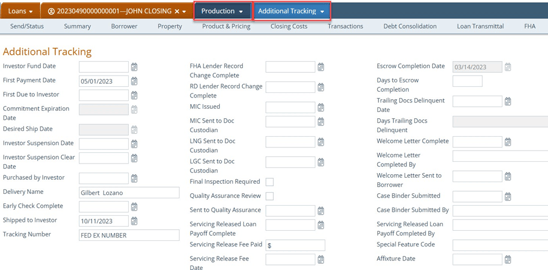
This topic is intended to help funders and shippers navigate through Path and to walk them through the most common tasks in a typical funder/shipper workflow.
2. The funder can issue a funding number in the Production > Request Funding screen.Note: It is recommended that all fields are completed by the funder, or whichever role that can issue a funding number, be it funder or closer.
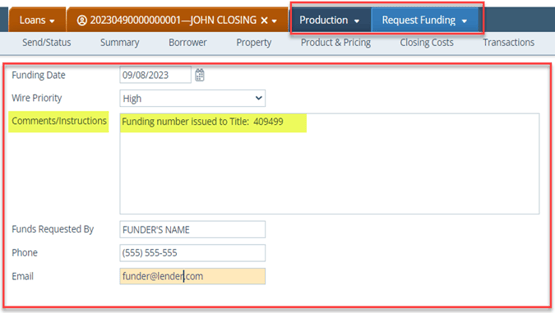
Note: The Request Funding screen can be used to issue a funding number to the settlement agent. You can enter the funding number in the Comments/Instructions field. The funding number can be tracked here and be reported in the funding report.
2. After the original closing package is returned to the lender, the funder can go to the Production > Package Receipt screen to confirm receipt of the closing package. 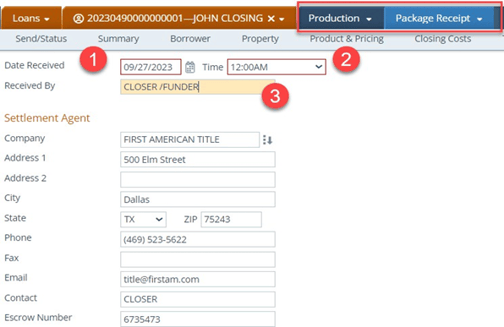
- Date Received
- Time
- Received By
4. Click on the Add button and select Investor or Trailing Document
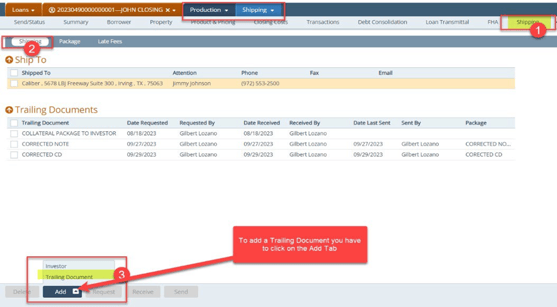
- A lightbox appears to add the trailing
5. To track the request date of trailing documents, the shipper must go to Production > Shipping > Shipping. 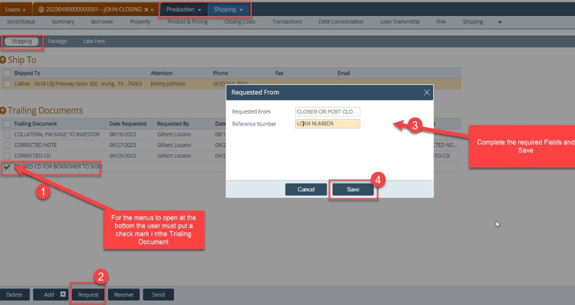
- Select the trailing document
- Click Request
- Complete the Request From lightbox
- Save
6. To track the received date of trailing documents, the shipper must go to Production > Shipping > Shipping.
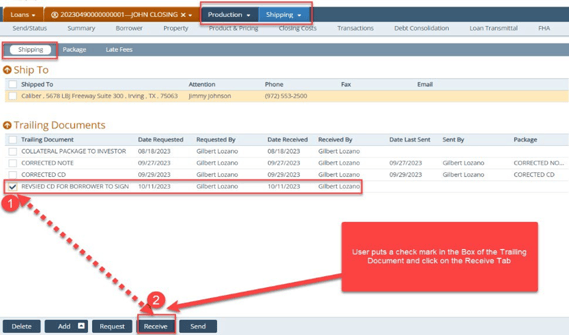
- Select the trailing document
- Click Receive
7. To track the send date of trailing documents, the Shipper must go to Production > Shipping > Shipping.
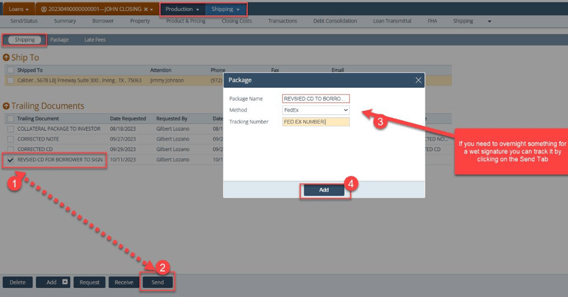
- Select the trailing document
- Click Send
- Complete the required fields in the Package lightbox
- Click Add
8. You can also review the list of trailing documents in Production > Shipping > Shipping. 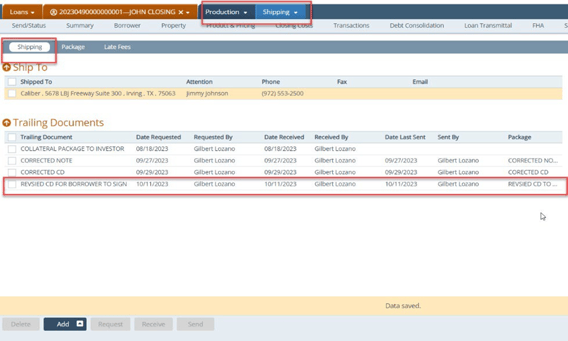
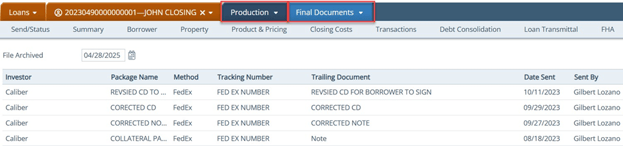
9. You can review all final documents in Production > Final Documents.
10. You can go to the Production > Additional Tracking to fill in the dates for tracking purposes.