
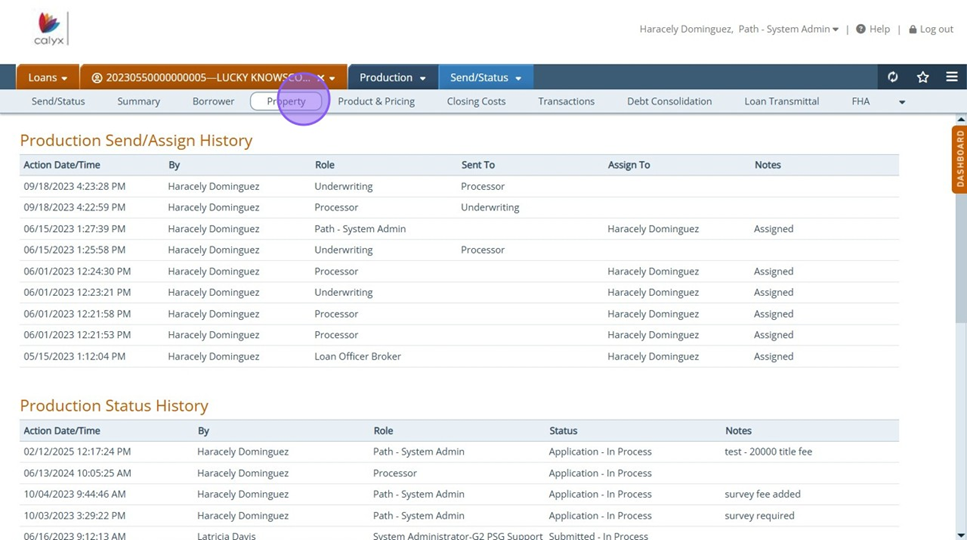
1. Click "Property"
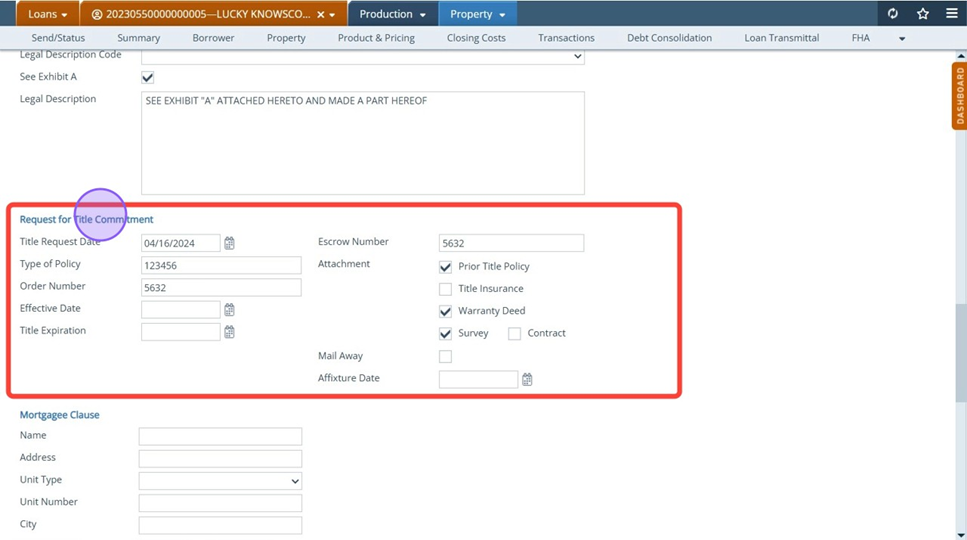
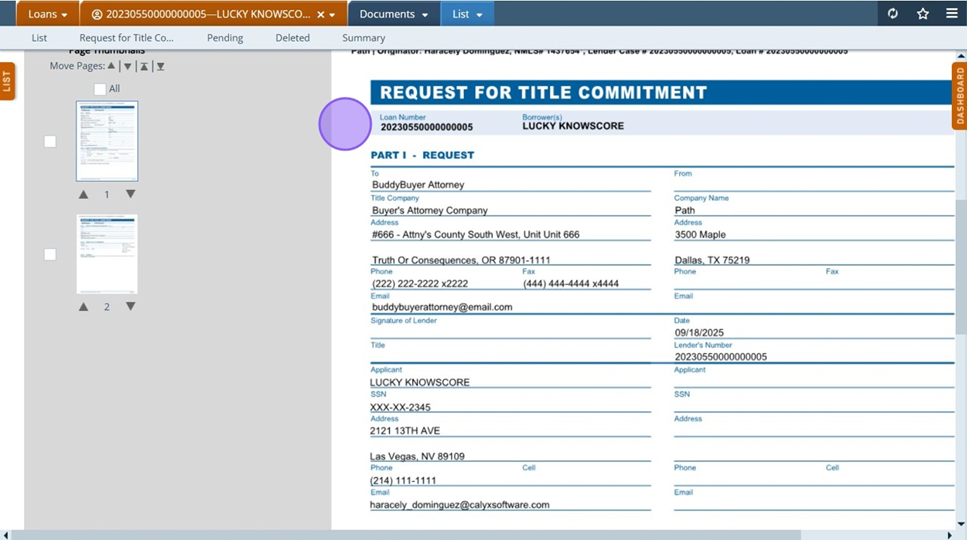
2. Complete "Request for Title Commitment" section with title information
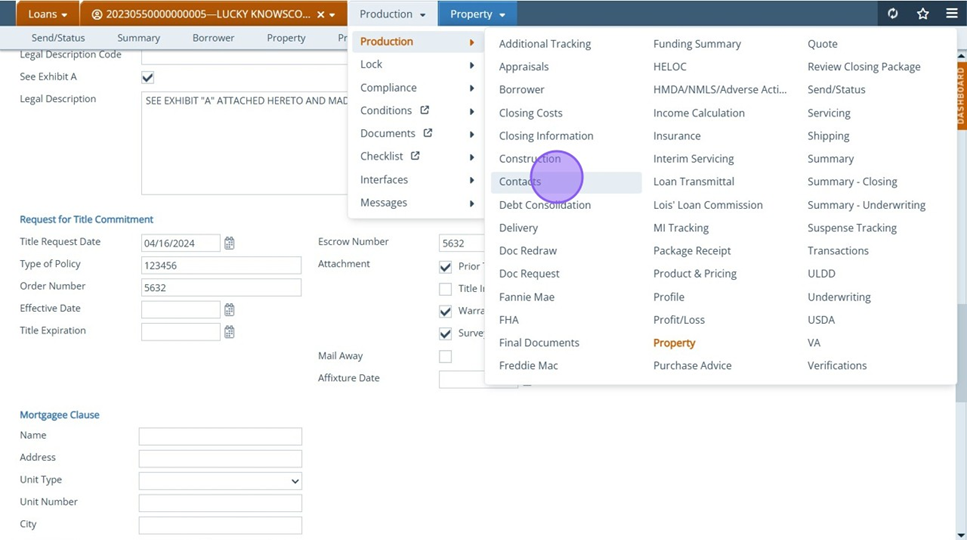
3. Click "Contacts"
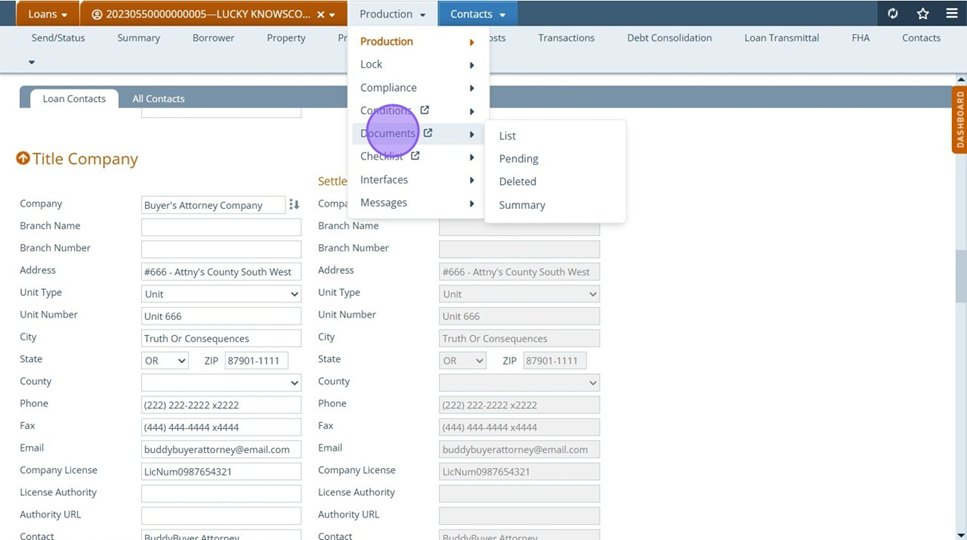
4. Fill out Title Company information either manually or via Contacts dropdown arrow
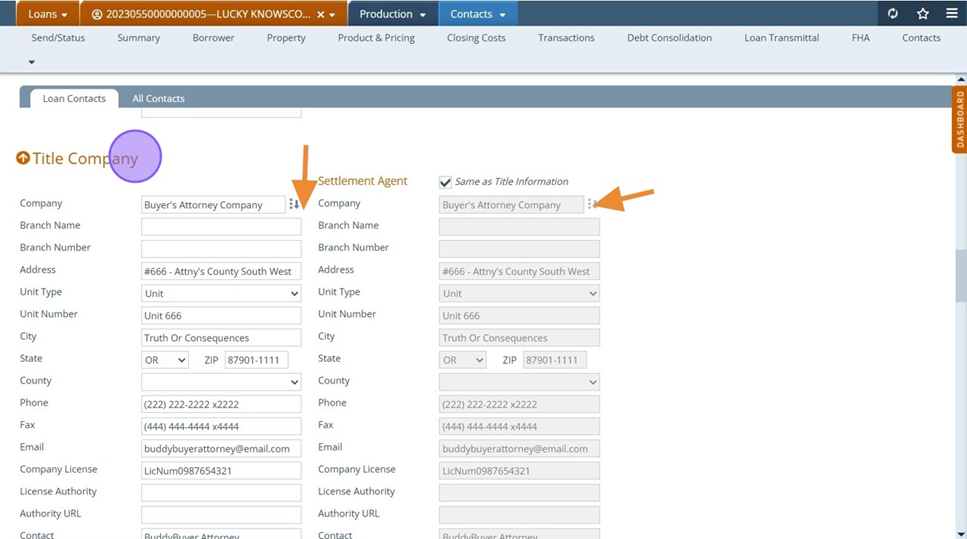
Tip! Add settlement companies as a "Contact". Frequently used contacts can be accessed via dropdown versus having to manually type.
5. Now to print form: Click "Documents"
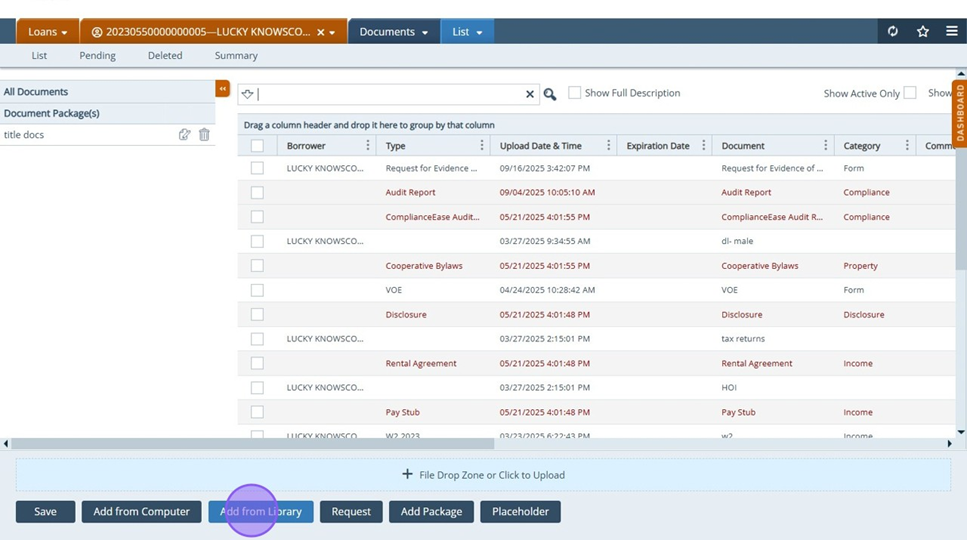
6. Click "Add from Library"
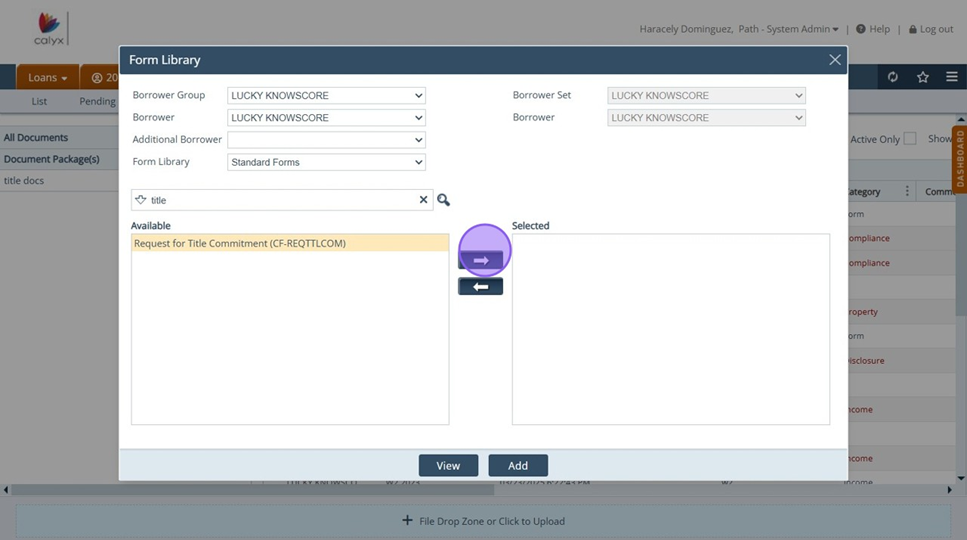
7. Search "Title" and "request for title commitment form will appear
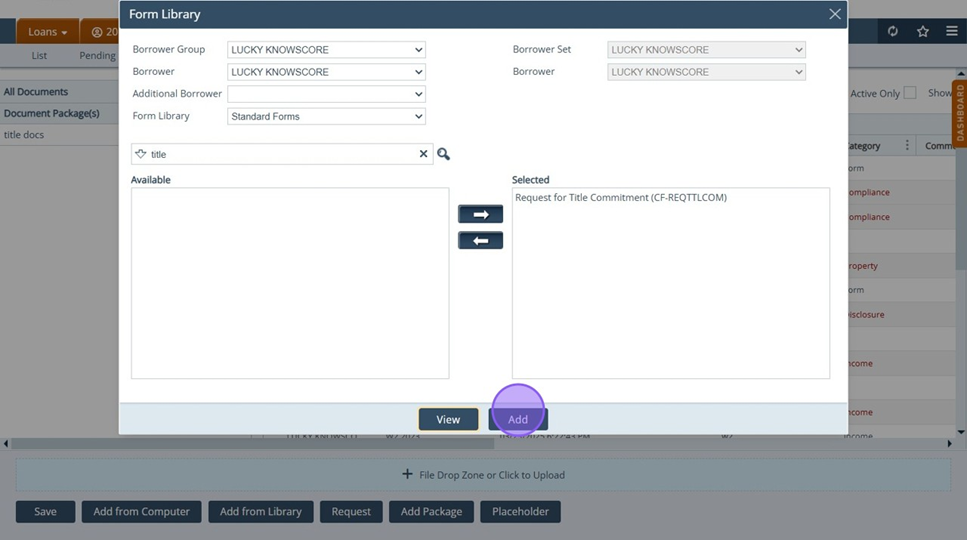
8. Click "View" or "Add"
9. Form available to print/download/email
Tip! "View Form" Button can be added to Property screen to eliminate extra step of navigating to Documents to print form. See "How to add: "View Form" Button guide for instructions
