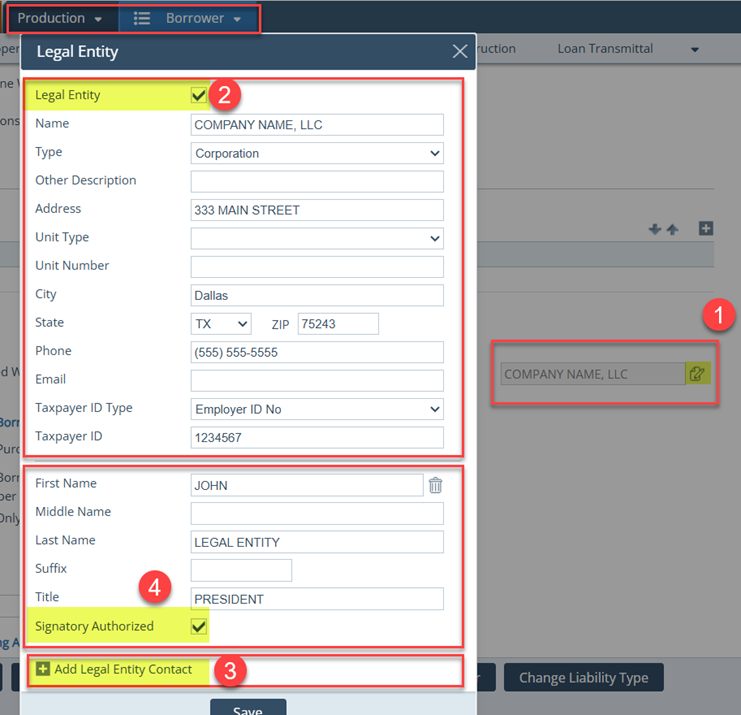
This document is intended to help lenders navigate Path when a legal entity is being used to close a loan.
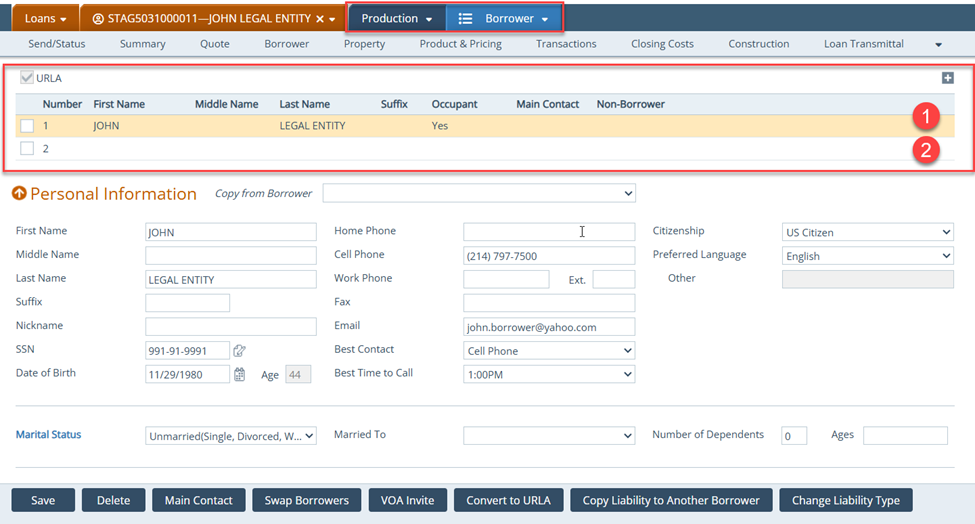
You need to add a second borrower, who will sign as the legal entity in Production > Borrower screen.
Note: It is recommended the first borrower be the person qualifying for the loan.
- Borrower 1 qualifies for the loan and is considered the guarantor
- Borrower 2 is the legal entity that is added to the Loan and is considered the signatory
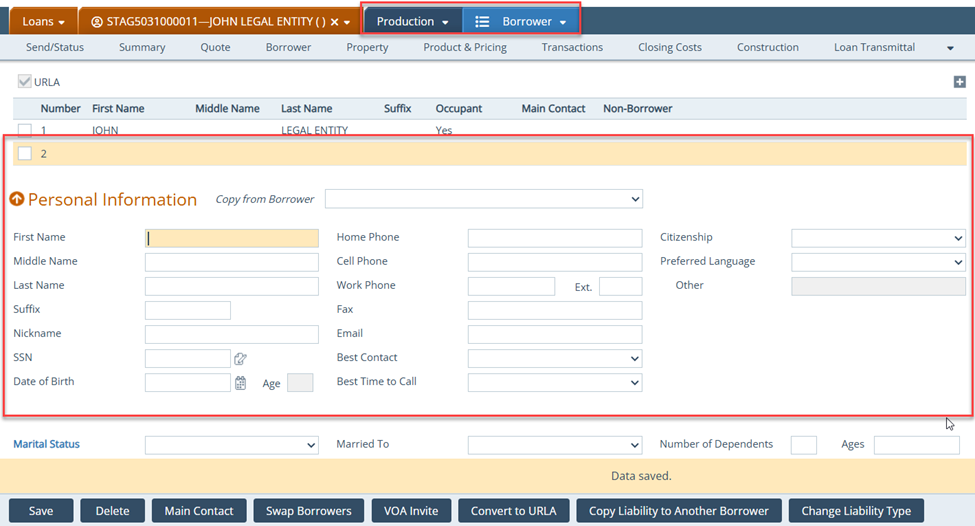
- Leave the Personal Information section blank since this will be the legal entity
- Click the edit icon (
 ) corresponding to the Legal Entity field in the Other Information section
- Also select the Co-Signer checkbox
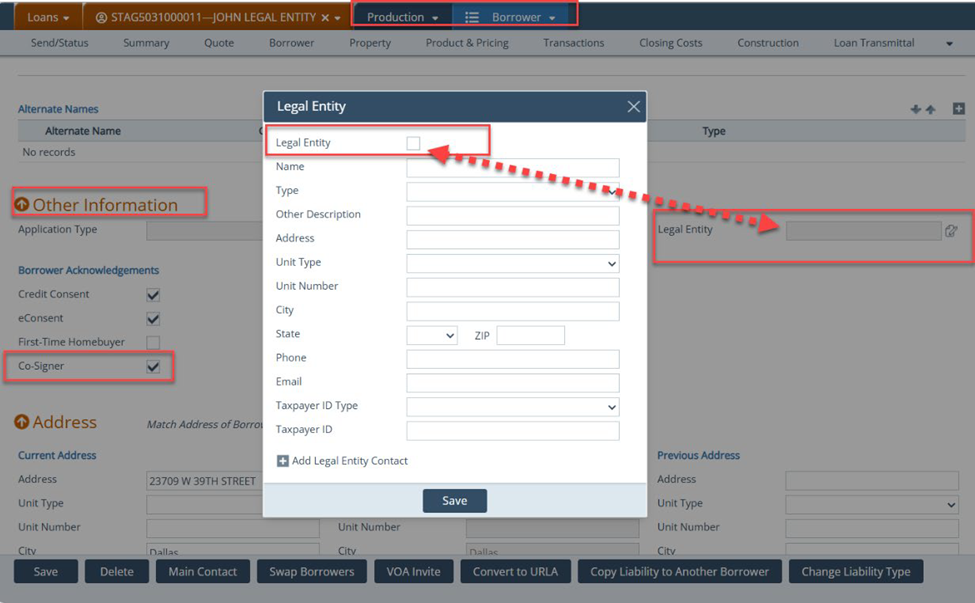
- In the Legal Entity lightbox:
- Select the Legal Entity checkbox and complete the rest of the relevant fields
-
- To add the contact information of the legal entity, click the add icon (
 ) corresponding to Add Legal Entity Contact.
 - Select the Signatory Authorized lightbox
- To add the contact information of the legal entity, click the add icon (