
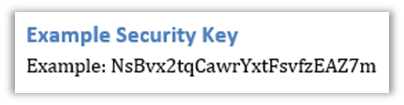
This guide provides step-by-step instructions for creating a 24-character Security Key in Calyx Path, which is required for production environments using the BUILT Path API Integration.
Step 1: Generate a Secure Password
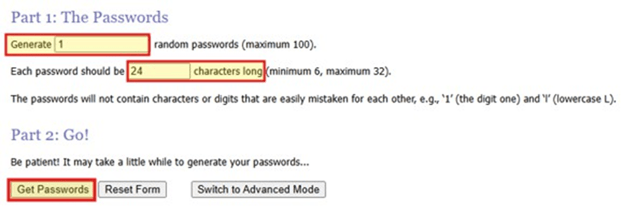
Use a password generator such as https://www.random.org/passwords/ to create a secure 24-character key.
Note: Path does not endorse random.org, we only provide the website as an example for convenience.
- Visit random.org/passwords/
- Set 'Generate' to 1 password and 'Length' to 24 characters.
- Ensure the option to avoid easily confused characters is selected.
- Click Get Passwords and copy the generated password.
Step 2: Enter the Security Key in Calyx Path
- Log in to Path.
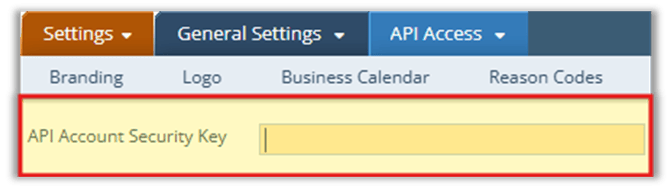
- Navigate to Settings > General Settings > API Access.
- Locate the field labeled API Account Security Key.
- Paste the 24-character password into this field.
- Save
