
The MI Admin Setup screen is where administrators configure Mortgage Insurance settings for the MI Comparison and MI Application tools. This area controls user access, MI companies, rate quote options, application options, and all admin-level setup required for the MI workflow in Path.
Important: To access the MI admin site, users must contact Path support. When contacting support, you are required to provide your Path user ID.
- Sign in using your Path username and password.
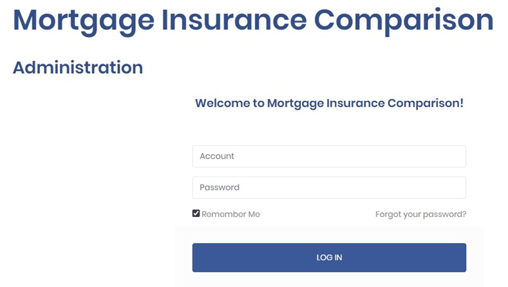
- Once logged in, you will see the available administrative tabs.
(“This is the admin login piece where the admin can configure users for their company.”)
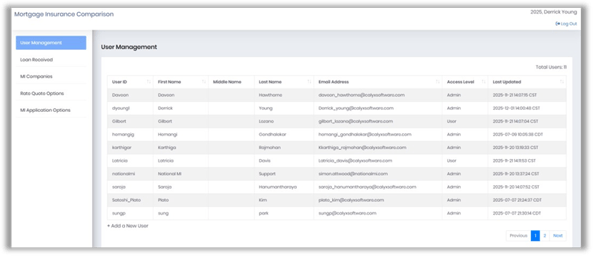
Note: Columns can be sorted.
User Management Tab
Purpose
Used to create and manage user access for the MI tools.
What You Can Do Here
-
Add new users
-
Edit existing users
-
View users and overall MI submission activity for the company.
Creating a New User
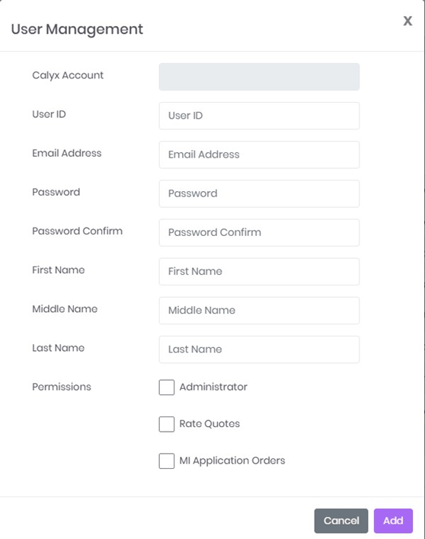
- At the bottom of the User Management screen, click +Add a New User.

- Enter the User ID (must match the Path User ID).
- Enter the Email Address (must match Path).
- Enter a Password (any password can be used).
- Enter First Name and Last Name (required; middle name optional).
- Click Add to save the user.
Loan Received Tab
Purpose
Displays MI Application activity submitted by users in the company. This section is read-only reporting.
What You See
-
Loan file details
-
MI company used
-
Application status and type
-
Borrower and loan originator information
-
Date Last Updated
Note: This tab only shows MI applications — NOT rate quotes.
MI Companies
Purpose
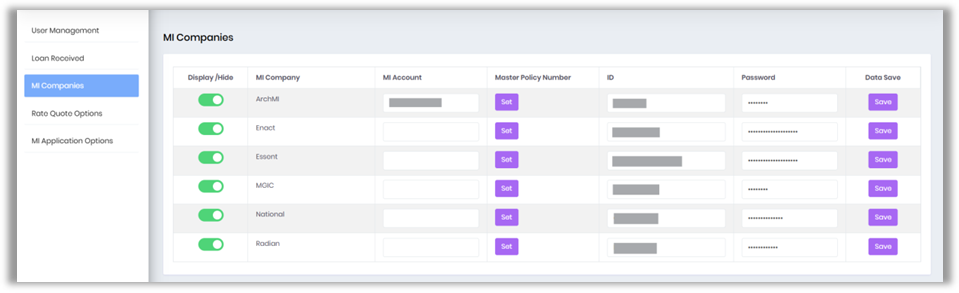
Controls which Mortgage Insurance companies are available to users and stores credential requirements for each vendor.
What You Can Do Here
-
Enable or disable MI companies (visibility affects all users).
-
Enter required login credentials (varies by MI vendor).
-
Enter Master Policy Numbers, including separate values for multiple business units if needed.
Credential Requirements
-
Does NOT require user credentials:
-
Arch MI (requires MI Account only)
-
MGIC
-
Radian
-
-
Requires user-level ID & Password:
-
-
Enact
-
Essent
-
National MI
-
Note:
-
Some companies use shared system-level login credentials, so fields may remain
-
Required fields vary by MI
Rate Quote Options
Purpose
Sets the default values users see when running rate quotes. These settings automatically populate fields on the Rate Quotes screen.
What You Can Configure
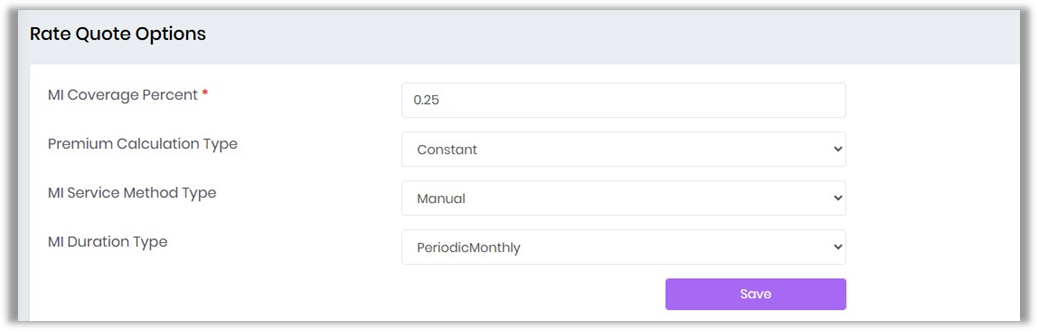
Field Descriptions
-
MI Coverage Percent
-
Sets the default mortgage insurance coverage
-
Users may update this value when running a rate
-
-
Premium Calculation Type
-
-
Determines how MI premiums are calculated.
-
The default option shown (Constant) means the calculation uses a fixed method.
-
-
MI Service Method Type
-
-
Controls how the MI quote request is processed
-
Manual requires user confirmation or input rather than automated submission
-
-
MI Duration Type
-
-
Defines the duration structure for the MI premiums
-
Periodic Monthly means the system defaults to monthly MI premium calculations.
-
-
Select Save to apply the chosen default settings to all users within the
MI Application Options
Purpose
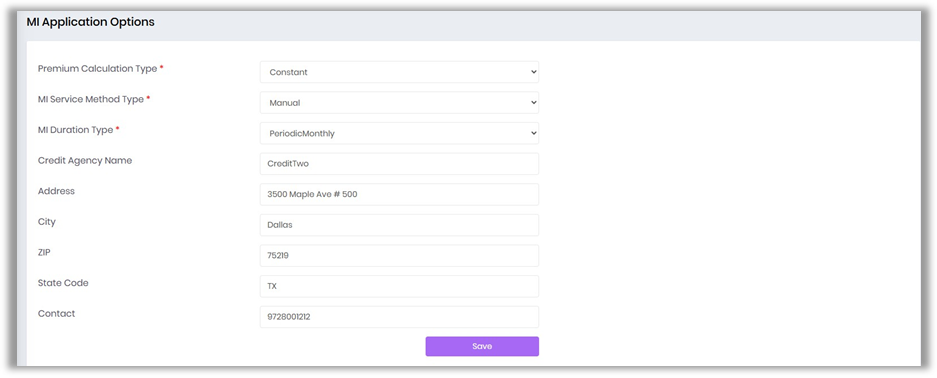
Defines default settings used when submitting a Mortgage Insurance application after a rate quote has been selected.
What You Can Configure
-
Default values for MI application fields
-
Credit agency name and address
-
MI Program and Special Loan Program selections (commonly used in Path today)
Summary
The MI Admin Setup centralizes control of users, MI vendors, and default configuration settings. Once completed, the setup supports consistent quoting, application processing, and overall system use across the organization.
