
Print Groups allow system administrators to bundle documents into logical sets for printing, based on predefined workflows or templates. This streamlines document output by reducing manual document selection, enforcing consistent print order, and helping ensure required forms are always included, especially for common mortgage packages like disclosures, underwriting, closing, and investor delivery.
Applies To
-
Path System Administrators
Create a Print Group
-
Open Settings > Documents > Print Groups.
-
Click the Add button.
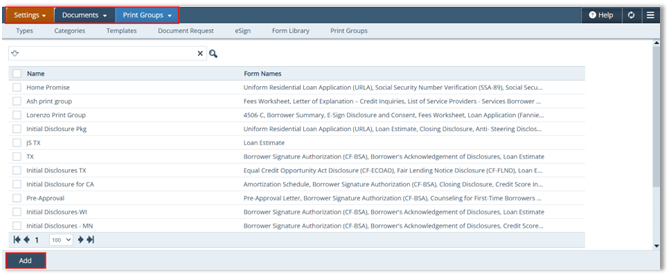 The Print Group Detail screen opens.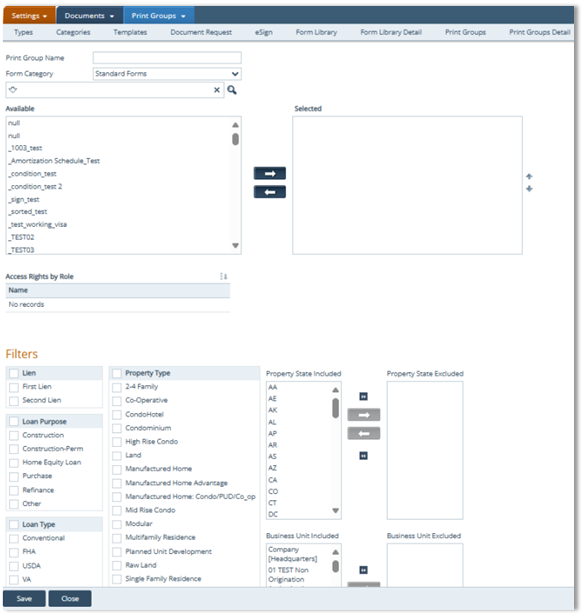
-
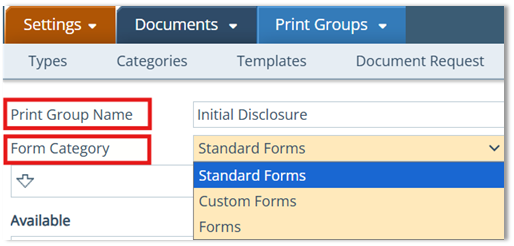
Enter the Print Group Name (required).
-
Select the Form Category.
-
Category Options
-
Standard Forms → Predefined forms used across loans.
-
Custom Forms → User-defined forms created in the Form Library.
-
Forms → General category including all form types.
-
-
-
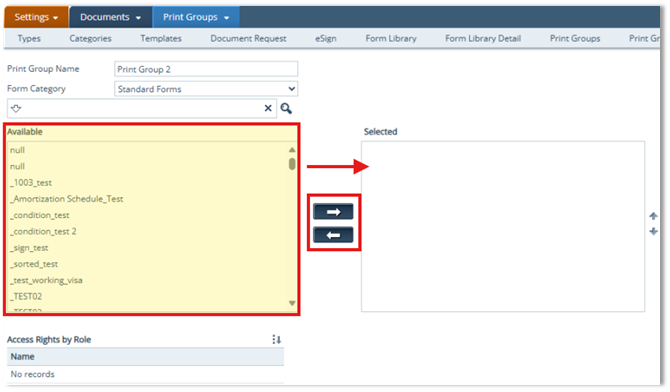
Move forms from the Available table to the Selected table.
-
Click Save.
Assigning Access Rights by Role
-
After saving, click the Select icon (
 ) in Access Rights by Role to open the Roles lightbox.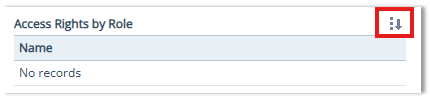
-
In the Roles lightbox:
-
Select the checkbox next to the role(s) that should have access to this Print Group.
-
Use the Search box to filter roles if needed.
-
Use the top checkbox to Select All/Unselect All if applicable.
-
-
Click Select to apply role access.
The Roles lightbox allows administrators to assign role-based access to the selected Print Group. 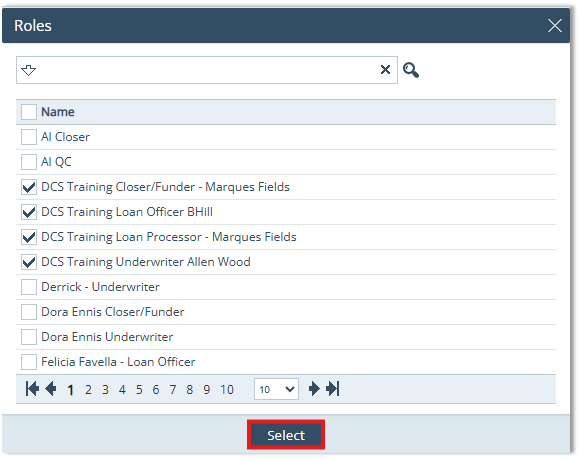
Configure Filters (Target the Right Loans)
-
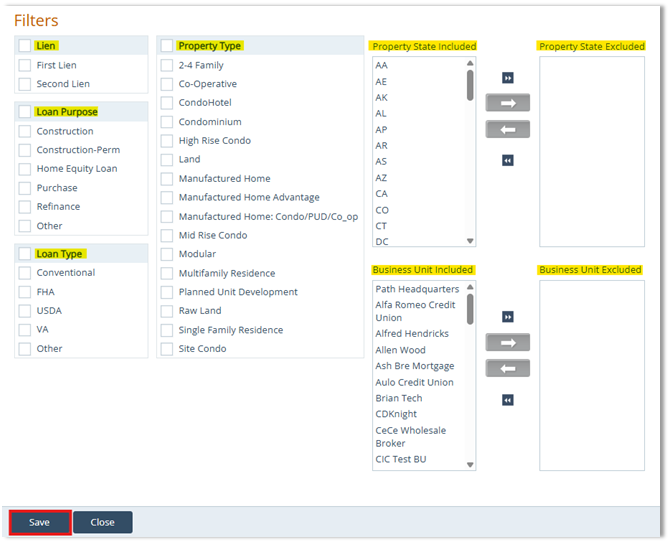
Complete the Filters section to control when this Print Group applies.
-
Configure filter criteria as needed:
-
Lien Type (First Lien, Second Lien)
-
Loan Purpose (Construction, Construction-Perm, Home Equity Loan, Purpose, Refinance, Other)
-
Loan Type (Conventional, FHA, USDA, VA, Other)
-
Property Type (2-4 Family, Co-Operative, CondoHotel, Condominium, High Rise Condo, etc.)
-
Property State (Included/Excluded)
-
Business Unit (Included/Excluded)
-
-
Click Save to finalize the Print Group configuration.
Summary
Print Groups help standardize document printing by bundling the right forms into consistent packages with controlled access and targeted filters. When configured correctly, they reduce manual errors, speed up document output, support compliance by ensuring required forms is included, and improve efficiency across disclosure, underwriting, closing, and investor delivery workflows.
