
HMDA reporting in Path makes it easy to generate accurate, compliance-focused lending reports without manual tracking. With flexible date options and built-in export tools, you can quickly run the report you, review results, and share them in Microsoft Excel for faster analysis and cleaner recordkeeping.
Applies To
-
Path users with access to Pipeline > Reports (roles with Reports permissions)
Running HMDA Reports
-
Open Loans > Pipelines > Reports.
-
Locate the Reports section (shows reports assigned to your role).
-
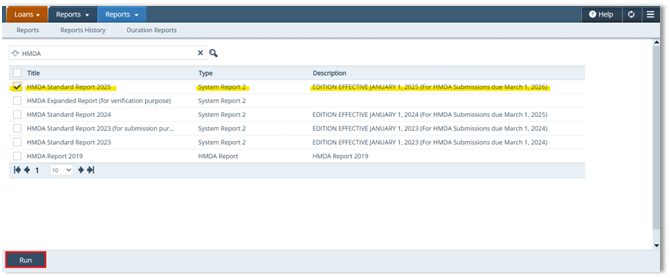
Type HMDA in the Search bar.
- Confirm that the HMDA Standard Report 2025 appears.

-
Check the box to the left of the HMDA report you want to run.
-
Click Run.
-
Confirm the yellow ribbon appears at the bottom of the screen.

Choose Report Parameters
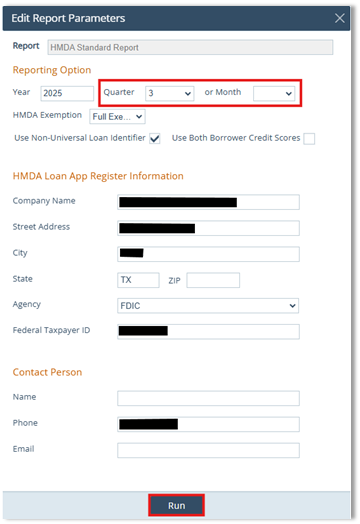
In the Edit Report Parameters, under Report option:
-
Choose the desired timeframe:
-
Year
-
Quarter
-
Month
-
-
Click Run.
-
-
Note: Users can fine-tune the date range on the screen.
-
Download from Reports History
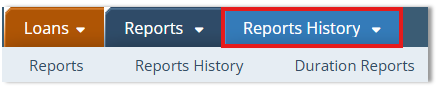
Near the top of the screen:
-
Click Reports History.
-
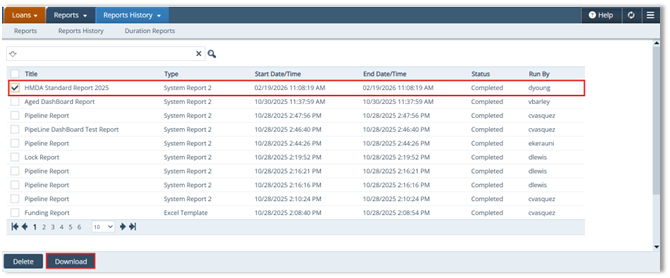
Wait until the report shows an End Date/Time and Status=Completed.
-
Check the box on the left for that completed report.
-
Click Download.
Adjust Dates and Refresh Output (Optional)
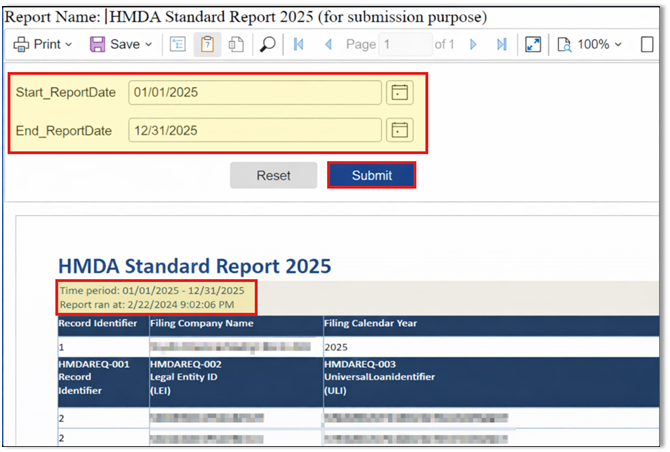
Dates will be prefilled based on your selection.
-
Use the Date Picker to adjust the date range (Optional).
-
Review Date Range & Run Time under the report header.
-
Click Submit to refresh the report using your selected dates.
Export the Report to Microsoft Excel
-
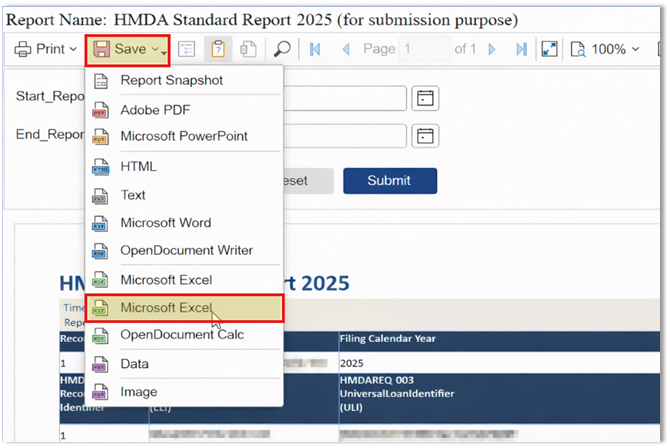
Click the Save dropdown.
-
Select Microsoft Excel.
-
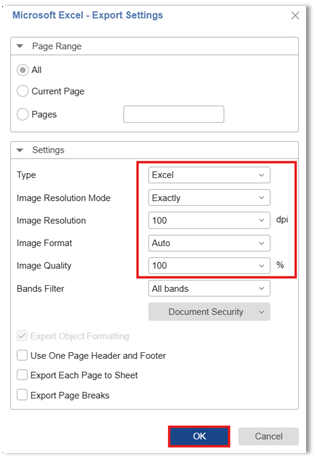
In Export Settings, confirm the settings match the guide.
-
Click OK.
-
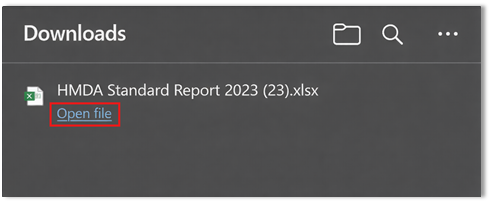
When the download confirmation window appears, click Open file and save the excel spreadsheet to your preferred folder/location.
Reference: HMDA Standard Report
Additional columns in the HMDA Standard Report can provide borrower and loan identification details to support reporting review and validation. 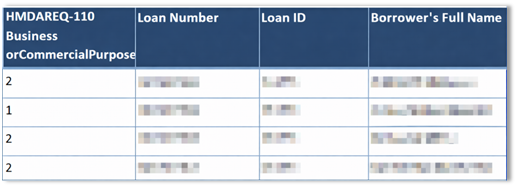
Summary
Running and exporting HMDA reports in Path helps with pulling accurate data on demand, adjust date ranges when needed, and exports to an Excel spreadsheet in a few clicks that saves time, reducing errors, and improving visibility for internal reporting.
