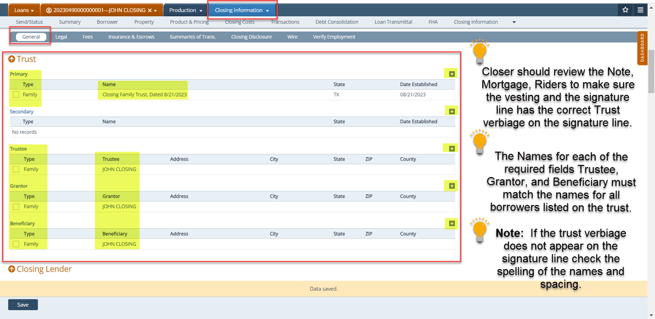
This document is intended to help Processors and Closer/Funders navigate through Path and to walk them through the most common tasks in having a loan close in a Trust Loan.
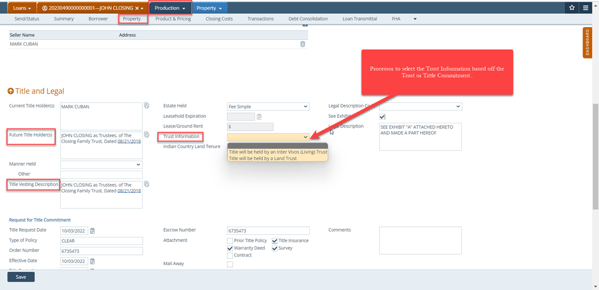
If a TRUST is being used on a loan. The processor should input the Trust Information under the Production > Property > Title and Legal > Trust Information. The name of the Trust should be added to the Future Title Holder(s) and Title Vesting Description.
Note: The Trust documents must be approved by the Title Company.
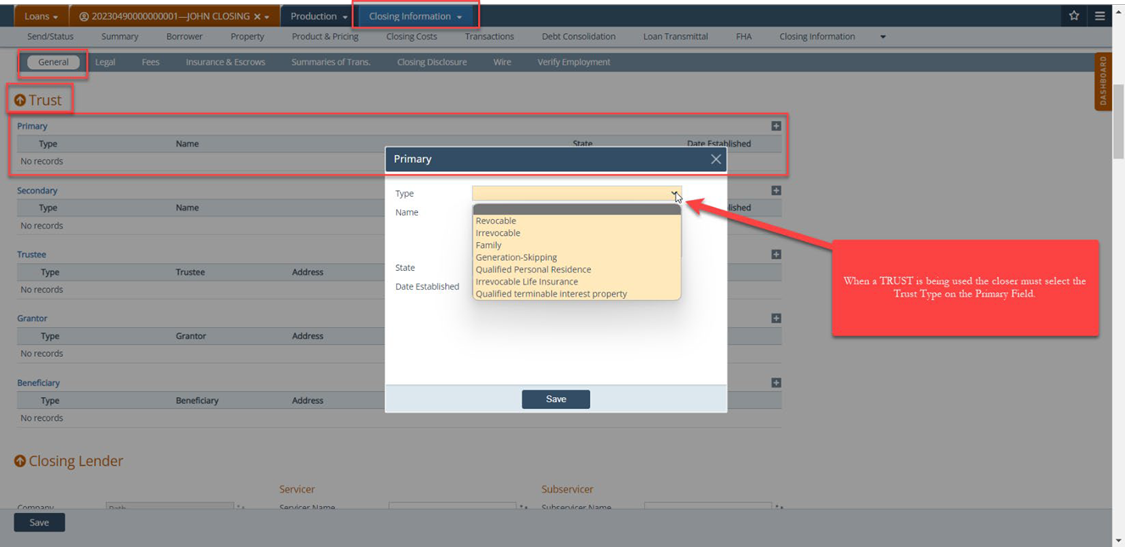
When a TRUST is being used to close a loan. The closer will input the Trust Information under the Closing Information > General > Trust section.
- Primary requires the Trust Type click on the drop-down arrow to select the Trust Type
- Closer will review the Trust to input the names of the Trustee, Grantor, Beneficiary.
Note: The names of all required fields must match for the Trust verbiage to be added to the signature line of the required closing documents.