![Point.png]](https://www.calyxsoftware.com/hs-fs/hubfs/Point.png?height=40&name=Point.png)
Fraud Services – DataVerify in Point lets you order a fraud report, review and document vendor warnings with comments, and rescore the report as needed—all without leaving the loan file. Updated results and rescore history are stored in Document Storage for easy reference.
Access Fraud Services
- Open the loan file.
- Navigate to Services → Fraud → Request Fraud Results.
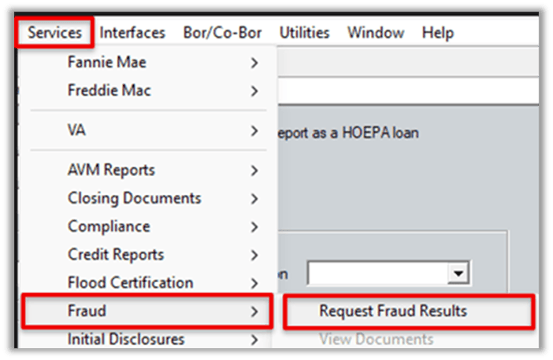
3. Select DataVerify from the Service Provider list.
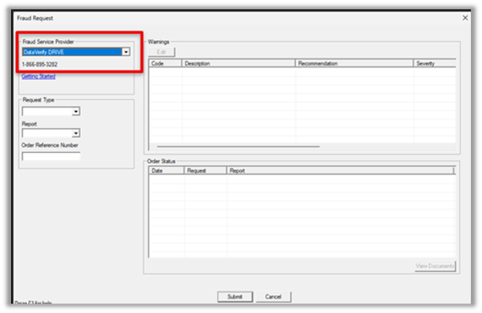
Submitting a Fraud Request
1. Set Request Type to New Order.
2. Select the applicable Report
3. Select Submit to order the fraud report.
4. Review the warnings returned by DataVerify in the report list.
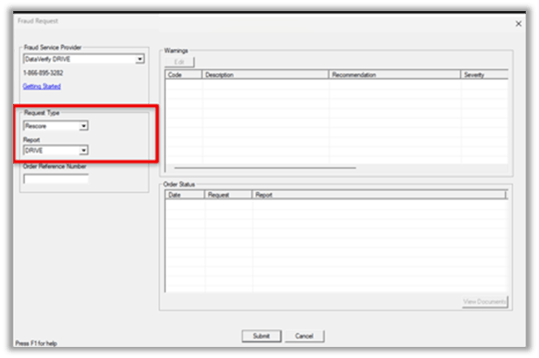
Review Warnings and Add Comments
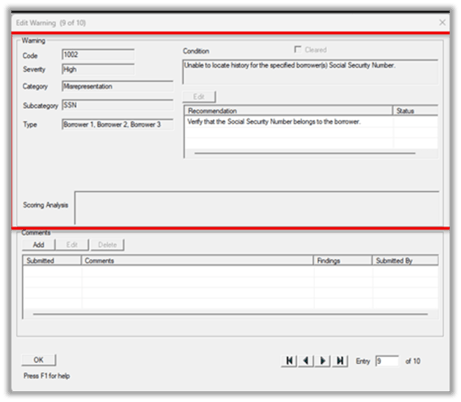
- Select a warning line item and click Edit.
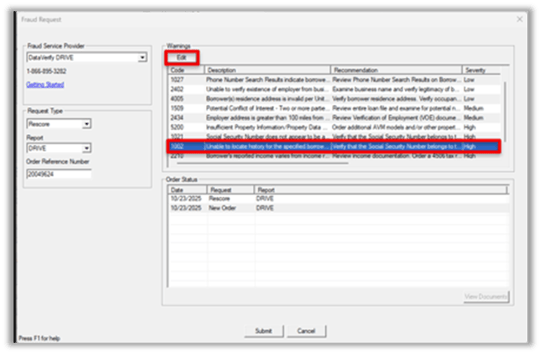
2. Review the warning details, including the vendor recommendation.
Individual Warning Data
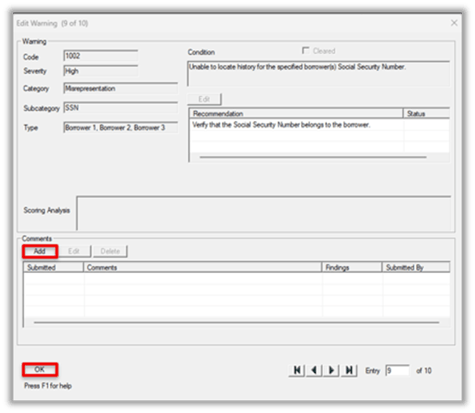
3. In the Comments area, select Add and enter a note indicating the review action completed.
4. Select OK to save the comment to the warning.
Comments on clearing warnings
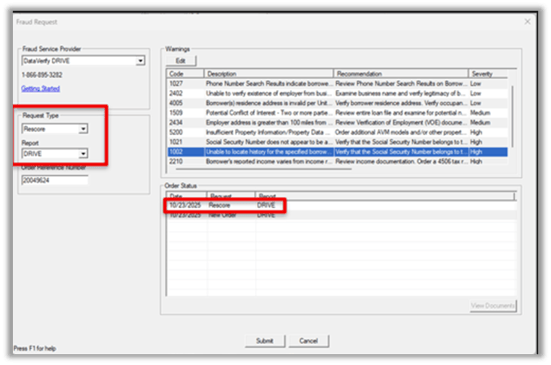
Rescore the Fraud Report
1. Set Request Type to Rescore.
2. Select Submit to send the updated warning comments for Re-score.
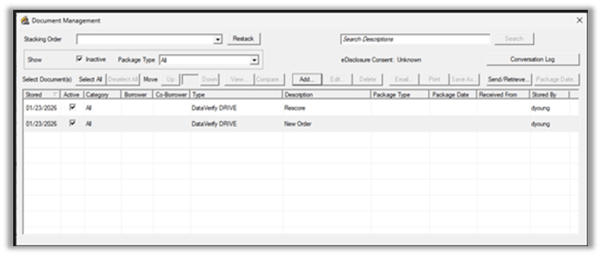
View Results in Document Storage
- Open Document Storage to review the fraud report output.
- Review the latest document version to confirm the updated score and any warning status changes.
Important Notes
- Fraud Services under Services is a direct Point workflow. Fraud Detection under Interfaces (WebConnect) launches on the vendor website and is separate.
- The fraud score is displayed in the document output and may also appear within the warning scoring analysis.
Summary
Fraud Services – DataVerify in Point lets users order a fraud report, review vendor warnings, document review actions with comments, and rescore the report as needed—all within the loan file. Final results and rescore history are stored in Document Storage for easy tracking and reference.
