![Point.png]](https://www.calyxsoftware.com/hs-fs/hubfs/Point.png?height=40&name=Point.png)
Refreshing or manually updating the MyCalyx Digital Key re-establishes the license connection between PointCentral and MyCalyx, helping clear expired key or service interruption errors and making sure your seat counts and user access reflect the most current licensing data.
Overview
The MyCalyx Digital Key is a unique identifier that links your PointCentral server to your MyCalyx.com license account. It ensures the server can validate:
- The number of seats purchased
- Which users are authorized to access the system
The key typically refreshes automatically every 30 days, but a manual update may be needed if:
- You purchased additional licenses and they are not showing
- The PointCentral server cannot communicate with MyCalyx due to firewall/proxy restrictions
- You receive an error indicating the key is expired
Refresh the Digital Key (Standard Reset)
Use this method first. It forces PointCentral to pull the latest license data from MyCalyx.
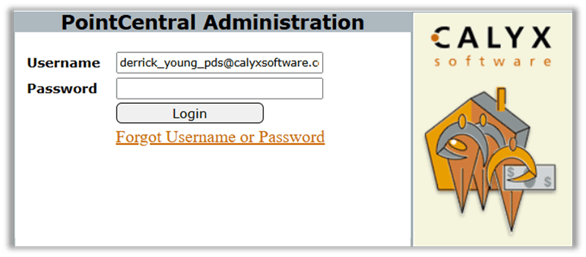
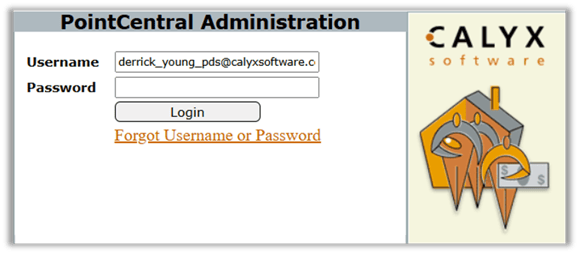
- Log in to the PointCentral Administration site.
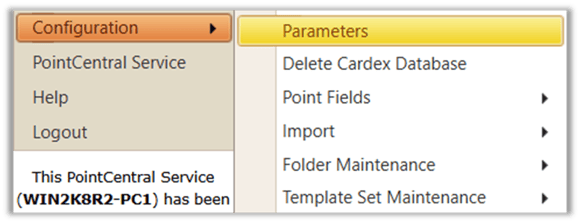
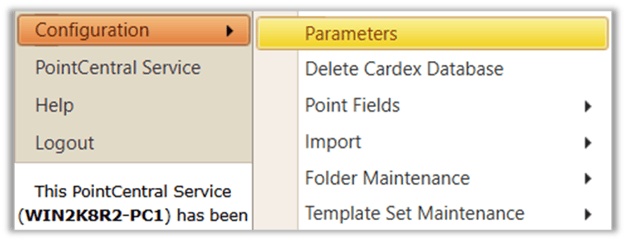
2. From the left navigation menu, go to Configuration > Parameters.
3. Scroll to the MyCalyx Digital Key section.
4. Click Refresh Digital Key.
5. Click Save at the bottom of the page.

6. Go to the Home page and confirm the License Information section reflects the correct seat counts.

Manually Update the Digital Key (Manual Reset)
Use this method if Method 1 fails due to internet/firewall/proxy restrictions.
- Log in to MyCalyx.com.
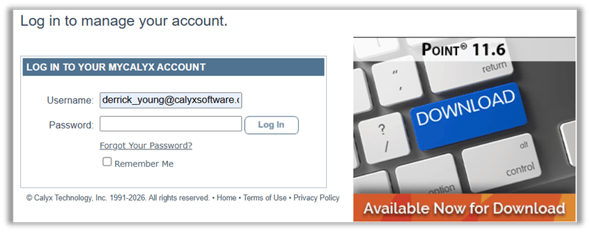
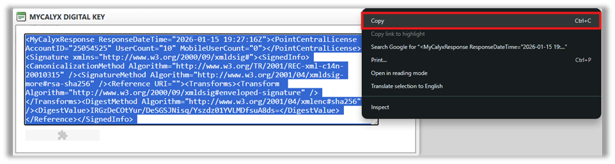
2. On the dashboard, click MyCalyx Digital Key to display the full alphanumeric key.

3. Highlight the entire key and Copy it.
4. Log in to the PointCentral Administration site.
5. Navigate to Configuration > Parameters.

Troubleshooting: MyCalyx Digital Key Errors
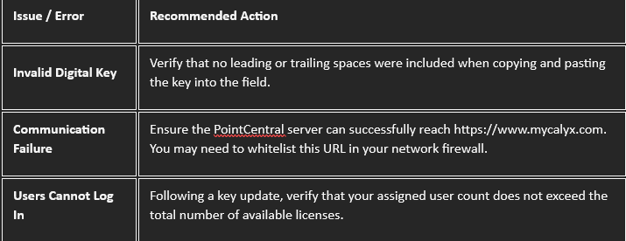
This guide provides resolutions for common errors encountered when refreshing or manually updating the MyCalyx Digital Key within PointCentral.
Important
Proxy Server Environments: If your network environment utilizes a proxy server, you must configure the appropriate proxy settings under Configuration > Parameters. This step is required for the Refresh Digital Key function to successfully establish a connection with the MyCalyx servers.
Summary
Refreshing or manually updating the MyCalyx Digital Key restores license synchronization between PointCentral and MyCalyx, which can resolve expired key and service interruption errors and ensure seat counts are accurate.
