![Zenly Primary Horizontal Color.png]](https://www.calyxsoftware.com/hs-fs/hubfs/Calyx%20Logos%20and%20Headers/Zenly%20Primary%20Horizontal%20Color.png?height=40&name=Zenly%20Primary%20Horizontal%20Color.png)
One-Time Marketing Campaigns give you full control over when and to whom a message is sent. Designed for announcements, promotions, rate updates, or other time-sensitive communication, these campaigns allow you to target a specific borrower group and schedule delivery at an exact date and time—without ongoing automation logic.
Applies To
- Zenly Users creating or managing Marketing Campaigns.
- Administrators supporting Campaign configuration.

Creating a One-Time Campaign
- Navigate to Marketing within Zenly.
- Select + New Campaign.
- Choose New One-Time Campaign.

4. Enter a Campaign Name.
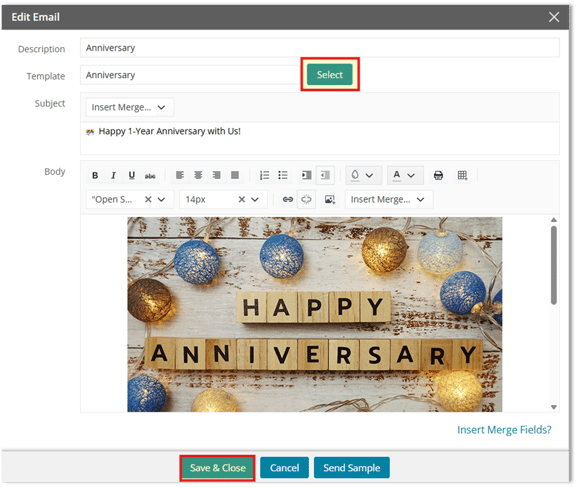
5. Select or create the Email Template to be used.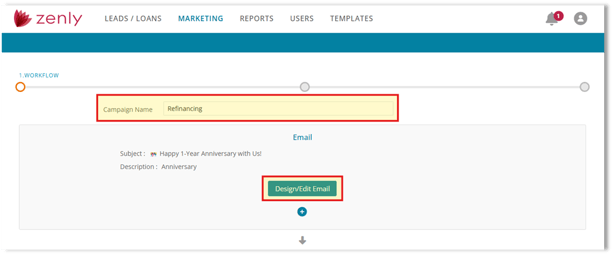
Defining Recipients and Filters
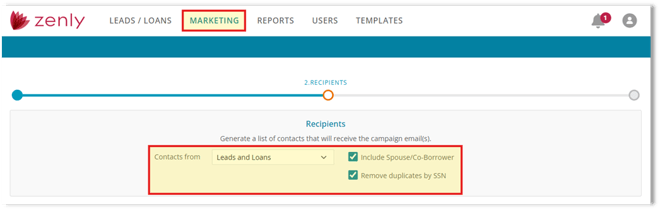
After selecting your campaign type, proceed to the Recipients’ screen.
- Under Contacts from, select the source (for example: Leads and Loans).
- Select whether to:
- Include Spouse/Co-Borrower
- Remove duplicates by SSN
Applying Filters
Recipients are generated based on the conditions you define in the Filters section.
- In the "Recipients will be generated based on" dropdown, select whether All or Any of the conditions must be met.
- Click the + icon to add a filter condition.

3. Select the Field from the dropdown.
4. Choose the appropriate field (for example: Status, Loan Type, Officer, etc.).
5. Select the desired condition (Equal, Not Blank, After or Equal, etc.).
6. Define the value that determines which loan files qualify.
7. Repeat as needed to refine your borrowers

Once filters are configured:
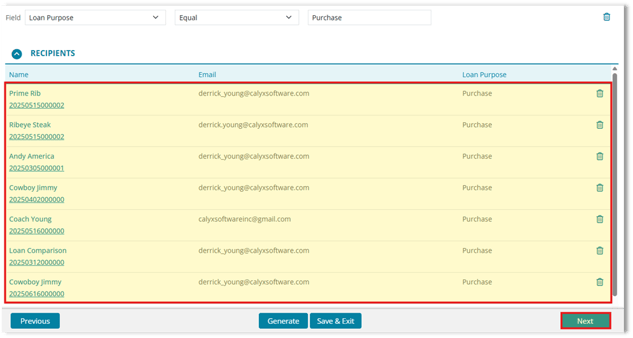
- Select Generate to produce contacts that meet the defined filter list of requirements.
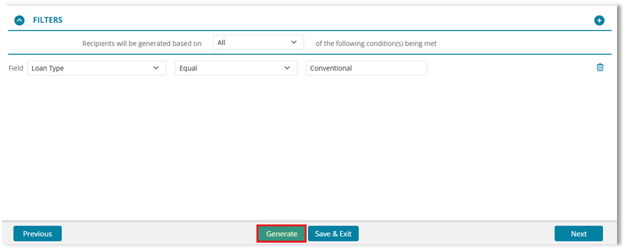
2. Review the generated recipient list to confirm accuracy.
3. Click Next to proceed to the next step of the campaign setup.
Scheduling Delivery
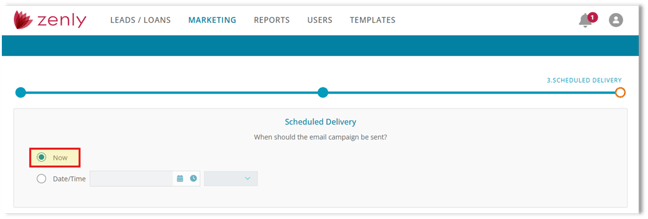
After generating recipients, proceed to Scheduled Delivery to choose when the One-Time Campaign should be sent.
- Select one of the following options:
- Now - Sends the One-Time Campaign as soon as you complete the setup and submit the campaign.
- Date/Time - Schedules the One-Time Campaign to send on a specific date and time.
- Click the calendar icon and choose the send date.
- Use the time field/dropdown to select the send time.
- Confirm any available time zone selection reflects the correct time zone for delivery.
3. Click Save & Exit to complete the final step of the campaign setup.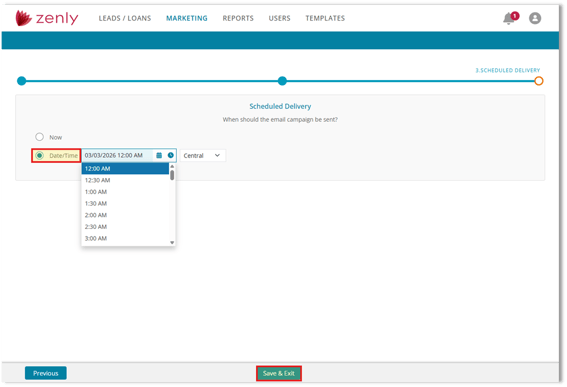
The campaign will send one time based on the option you selected and will only deliver to the recipients that were generated from your filters.
Important Notes
- One-Time Campaigns can be scheduled to send immediately or at a future date and time.
- The Campaign will show Pending until the scheduled time is reached.
- Once sent, the status will update to Completed.
- Changes cannot be made after the campaign has been delivered.
Summary
One-Time Marketing Campaigns in Zenly give you full control over when and to whom a message is sent. Designed for announcements, promotions, rate updates, or other time-sensitive communication, these campaigns allow you to target a specific borrower group and schedule delivery at an exact date and time—without ongoing automation logic.
