![Zenly Primary Horizontal Color.png]](https://www.calyxsoftware.com/hs-fs/hubfs/Calyx%20Logos%20and%20Headers/Zenly%20Primary%20Horizontal%20Color.png?height=40&name=Zenly%20Primary%20Horizontal%20Color.png)
Zenly supports VantageScore 4.0 credit reporting and loan-level credit decisions. Users can review returned VantageScore 4.0 results, identify the applicable borrower or co-borrower score, and apply the correct disclosed credit-score selection.
|
Important: Use Other Description for soft pulls. Credit Model for Credit Decision and Disclosed Credit Score apply at the loan level. |
REQUIREMENTS
- A configured credit-report vendor connection.
- A credit-report response that returns VantageScore 4.0 as a Credit Model Other Description.
REQUEST AND IMPORT VANTAGESCORE 4.0
1. Open the loan and select Services > Credit Reporting.
2. Select the Credit Agency and Request Action Type from the dropdowns.
3. Request the applicable Credit Report Type.
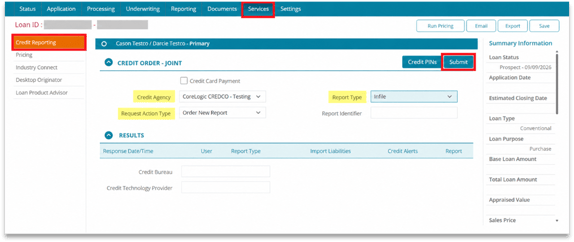
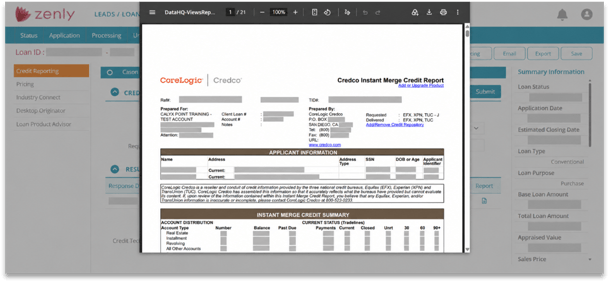
4. Click Submit and review the credit report.
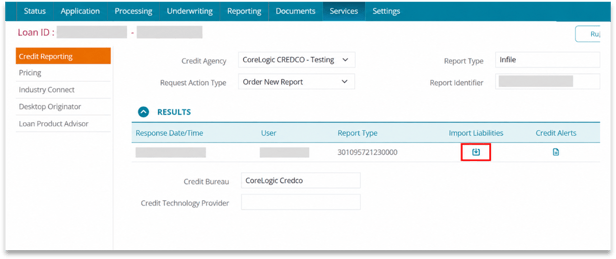
5. Click the Import Liabilities icon to import credit-report liabilities into the loan.
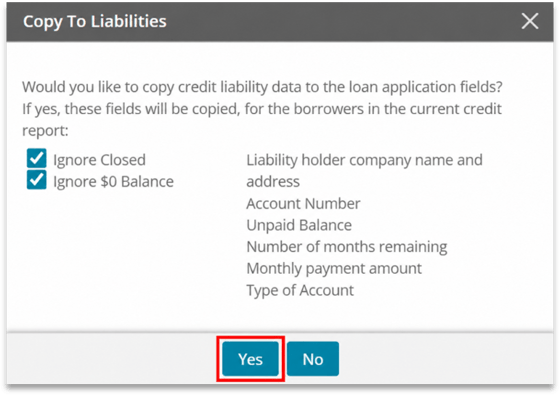
6. Select Ignore $0 Balance or Ignore Closed to exclude those accounts and click Yes.
REVIEW AND SELECT VANTAGESCORE 4.0
1. Select Processing > Credit Information.
2. In Credit Model for Credit Decision, select Vantage 4.0 to display scores for that model.
3. From the Disclosed Credit Score dropdown, select Lowest, Middle, or Highest.
4. Review the borrower and co-borrower Credit Scores tables. Use the Model column to identify each VantageScore 4.0 result.
5. Confirm the Disclosed Credit Score selection. Zenly recalculates the selected credit score based on this value.
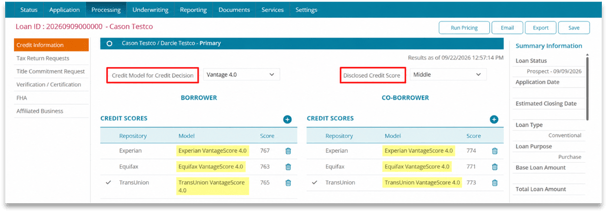
6. Click the applicable VantageScore 4.0 on the borrower or co-borrower Credit Scores table.
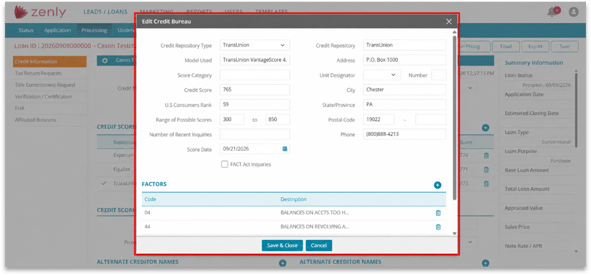
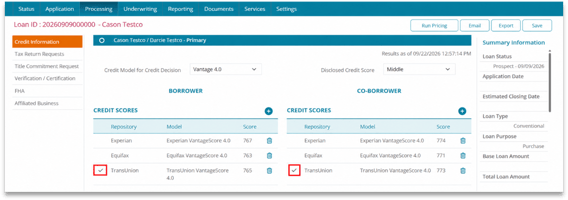
7. Verify the selected indicator in the Credit Scores table.
KEY INFORMATION
- The Model and Selected Indicator columns are available on each Credit Scores table.
- Selecting Vantage 4.0 filters the displayed scores for the loan-level credit decision.
VantageScore 4.0 gives users a straightforward way to review model-specific credit results and maintain an accurate loan-level credit decision.
