Creating user groups
To add a new user group to PointCentral:
- Log in to the PointCentral Administration site.
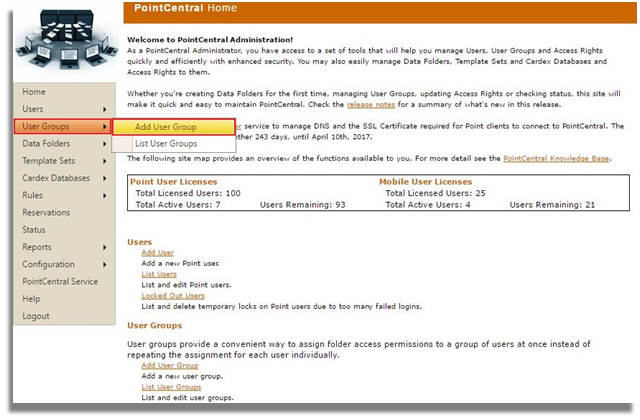
- Select User Groups > Add User Group from the left navigation pane.
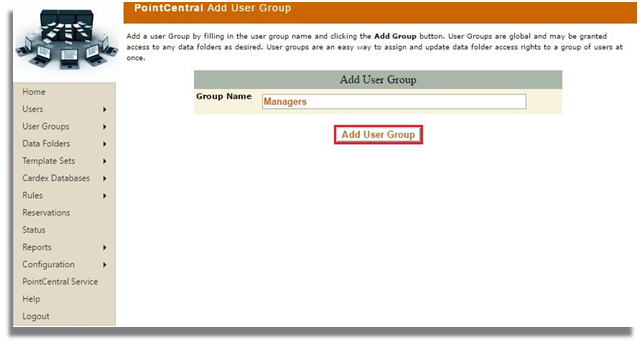
- Enter a group name and click Add User Group.
![Point.png]](https://www.calyxsoftware.com/hs-fs/hubfs/Point.png?height=40&name=Point.png)
Creating user groups
To add a new user group to PointCentral:
