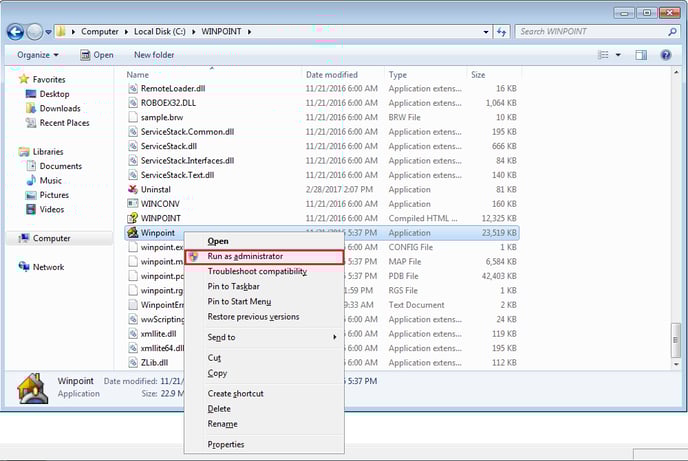
To run Point as an administrator:
1. Right click the windows icon in the lower left hand corner of the screen and select File Explorer.2. Double-click Local Disk C: and open the Winpoint folder.
![Point.png]](https://www.calyxsoftware.com/hs-fs/hubfs/Point.png?height=40&name=Point.png)
To run Point as an administrator:
1. Right click the windows icon in the lower left hand corner of the screen and select File Explorer.
