![Point.png]](https://www.calyxsoftware.com/hs-fs/hubfs/Point.png?height=40&name=Point.png)
SYMPTOM
An error occurs when you open or install Point: "This action is only valid for products that are currently installed"
CAUSE
There is an invalid end-user role setting on MyCalyx.com
RESOLUTION
Reset the End-User role license via MyCalyx.com
Note: You may need to contact your Adminstrator to log into MyCalyx.com and make the necessary changes.
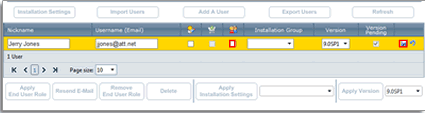
1. Log into https://www.mycalyx.com.2. Double-click the Username (Email) for the user that needs to reinstall Point.
3. Un-check the End-User Role (
 ) checkbox and click the Save icon.
4. Double-click the Username (Email) and re-insert a check into the End-User Role (
) checkbox.5. Select the version that you want installed from the Version dropdown list.
6. Click the Save icon.
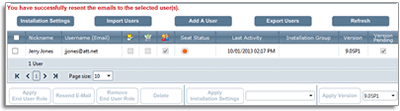
7. A message will appear above the user's list that an e-mail was sent to the user describing the role they were assigned. The user will then need to wait for the MyCalyx installation e-mail to arrive and click the Install Point link.