![Point.png]](https://www.calyxsoftware.com/hs-fs/hubfs/Point.png?height=40&name=Point.png)
To be sure all allowed information is transferred to 3rd Party Documentation.
1. Navigate to Borrower Information > Loan Summary and check boxes VA, and Refinance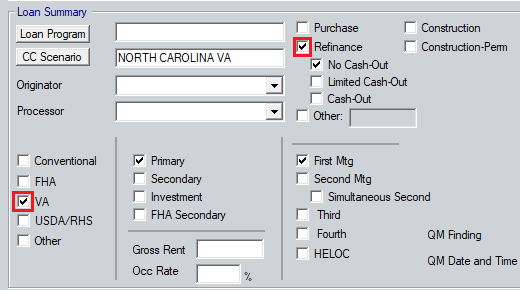
2. Navigate to Lender Loan Information – 1 > Refinance Program and check Interest Rate Reduction box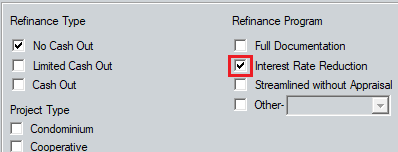
3. Navigate to Forms > Veterans Administration (VA) > VA Loan Summary (26-0286) and check Auto-IRRRL box
4. Verify the Refinance and IRRRL boxes are checked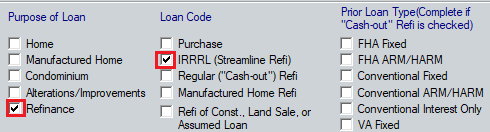
5. Navigate to Forms > Veterans Administration (VA) > VA Loan Comparison and use the Disclosure Form dropdown to choose Initial or Final documents
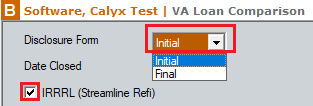
6. Verify IRRRL (Streamline Refi) box is checked
